Snap Camera HDR v8.1.4 APK


A Whole New Camera Experience!


Snap Camera HDR play.google.com.snap
Snap is a camera and gallery application based on the camera included in Android 4.2 on the Nexus 4.
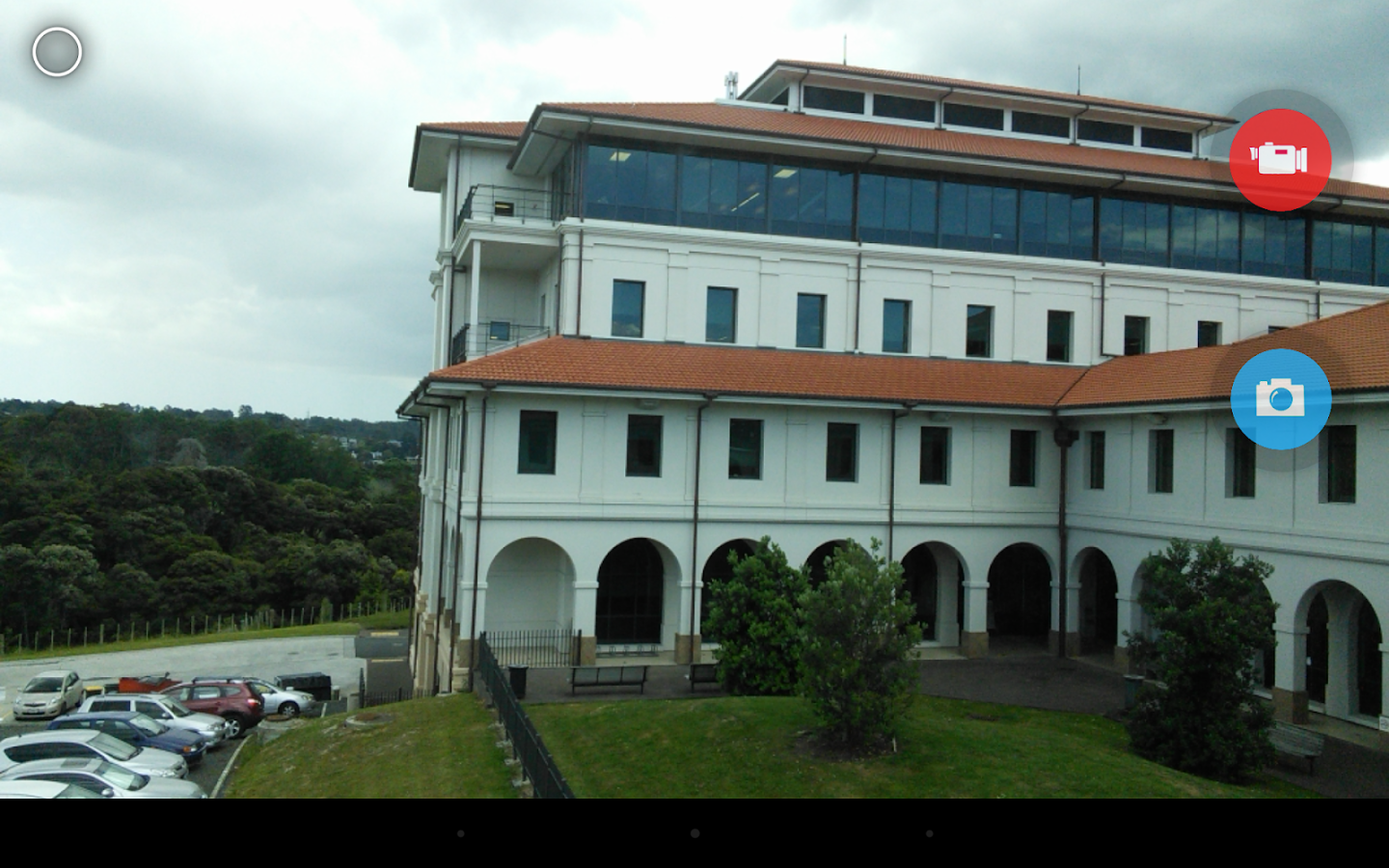
Take pictures and record video with a single click, no cluttered preview screen, just the two buttons you really need.

It has a simple, powerful user interface. Touch to focus, pinch to zoom, swipe to review and long press for photo settings. The photo controller includes settings for colour, contrast and sharpness (if supported by the hardware). The additional settings menu gives you access to: Picture and Video Size, Scene mode, Self Timer, Burst Mode, Time Lapse, Still and Video Focus Modes, JPEG Quality, Effects, ISO and Anti-banding.

The powerful photo editor lets you add colour effects, borders, crop, rotate, mirror and straighten. You can also choose image effects, histogram modification and vignette. Undo an effect at any time from the history menu.

Share an image with any other app such as Facebook or Google+ by clicking on the share icon.

Snap works best on newer phones but will still run on older models.

The extra settings on the controller menu are only available on phones that support them. Most phones based on Qualcomm hardware do support these options but most others do not.

Camera apps are notoriously difficult to make compatible with all hardware. If it doesn't work, please don't rate the app badly, let us know and we will try to fix it.

Please post bugs and suggestions on the XDA thread for this app by clicking on "Visit Developer's Website" below.

What's in this version : (Updated : 30 July 2016)
    8.1.2
    Dial for selecting camera mode
    Improved 3 frame HDR
    Many new features and bug fixes.
Required Android O/S : 2.3.3+

Screenshots :
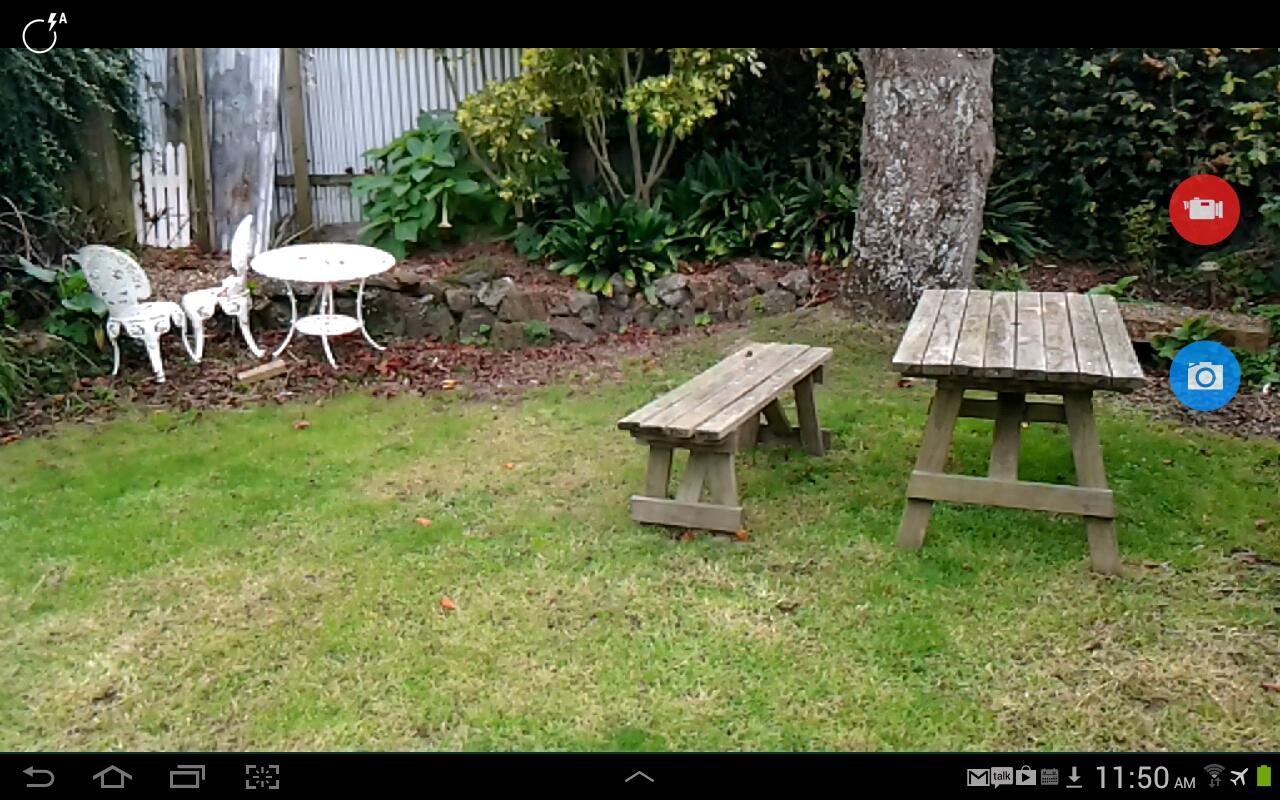
Snap Camera HDR - screenshot

Download : 5.3Mb APK

ProShot v3.6.1 APK


Leave the heavy DSLR at home, ProShot's got your back!


ProShotcom.riseupgames.proshot2

CAMERA FEATURES:
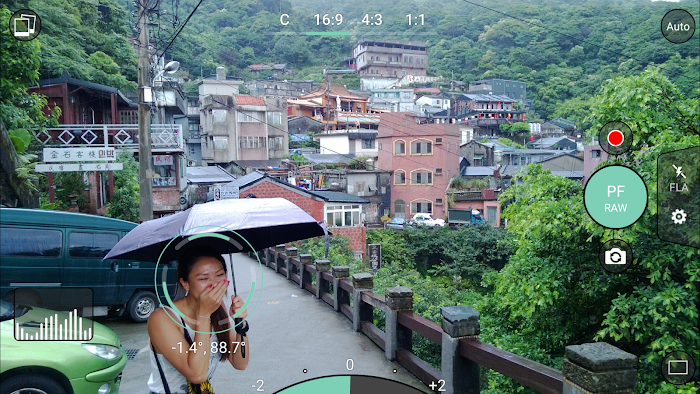
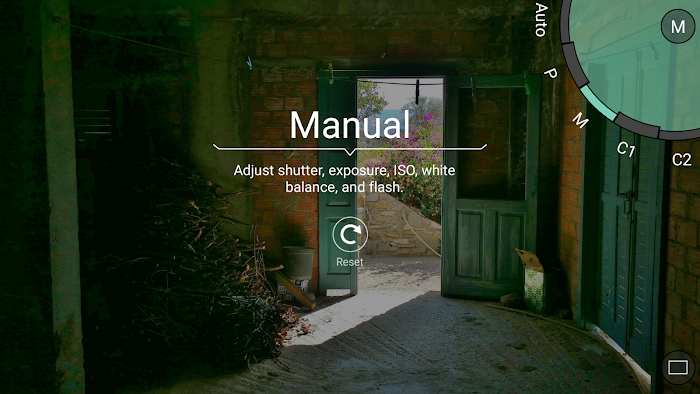
  • Auto, Program, Manual, and two fully configurable Custom modes, just like a DSLR*
  • Manual, semi-manual, or automatic control over exposure, flash, focus, ISO, shutter speed, torch, and white balance*
  • Shoot in JPEG, RAW or RAW + JPEG* (RAW = .DNG file)
  • Shoot full resolution in 16:9, 4:3, and 1:1
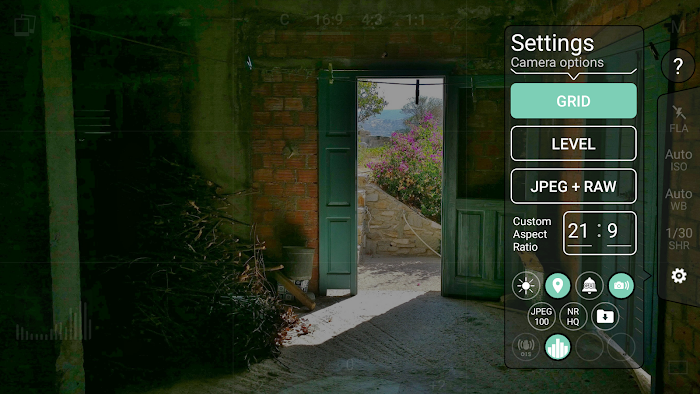
  • Custom Aspect Ratio Mode: shoot in any aspect ratio you want, 21:9, 17:10, 50:3, it's all possible!
  • Full-res Burst, Timer, and Timelapse modes, all with full manual controls
  • 4K video*
  • Zero-lag bracket exposure up to ±3, in 1/3 stop increments*
  • HDR, Night, and Action scene modes*
  • Auto ISO option, turns Manual mode into Shutter Priority*
  • Manual focus assist*
  • Live histogram
  • Front-facing camera with exposure control
  • Zoom with just one finger
  • Fully featured Camera Roll integrated into the viewfinder. View EXIF, support for video playback, media sharing, and delete
  • Grid overlay
  • Level with 3 different modes
  • Adjust JPEG quality, Noise Reduction quality, photo location
  • Shortcuts for GPS, screen brightness, camera shutter
  • Most innovative camera UI ever created
VIDEO FEATURES:
  • Manual, semi-manual, or automatic control*
  • Record video in any mode (Auto, P, M, C1, or C2)
  • Adjustable resolution, frame rate, and bitrate
  • Industry-standard options for 180 degree rule
  • Zoom and change any camera parameter, even during video recording
  • Timelapse video, with full manual control
  • Video light
Leave the heavy DSLR at home, ProShot's got your back.

What's in this version : (Updated : 28 August 2016)
    + Fixed video FPS bug
    Announcement:
    Thank you everyone so much for your love and support this past year. ProShot has been unlocking the full potential of Android devices all around the world, and this fall, it's about to get even better.
    We are in the process of giving ProShot a complete overhaul - a new camera roll, new image processing pipeline, new everything! It will be bigger, better and faster than ever before, and we can't wait to show you what we have in store.
    See you soon :)
Required Android O/S : 5.0+

Screenshots :
   ProShot- screenshot
   ProShot- screenshot
   ProShot- screenshot

Download : 2.3M APK

Lapse It Time Lapse Pro v4.70 Apk Terbaru

Time Lapse Pro Apk download

Download Time Lapse, Aplikasi Video Editor Untuk Android - Untuk Anda pengguna android yang sedang mencari aplikasi editing video untuk memperlambat dan memepercepat waktu (efek time lapse objek), Aplikasi Lapse it adalah solusinya. Aplikasi premium ini memungkinkan Anda menangkap momen spesial dengan kamera slow-motion effect langsung dari perangkat Anda tanpa perlu menggunakan teknologi yang rumit.

Aplikasi Lapse It Time Lapse ini memiliki pilihan yang berbeda untuk membantu Anda membuat urutan video tergantung pada preferensi Anda. Untuk mempermudah proses, lapse ini memiliki lima jendela di mana Anda dapat menemukan semua yang anda butuhkan untuk menyesuaikan video Anda.

Tab pertama Anda akan melihat setelah Anda mulai merekam berisi informasi rinci tentang proyek Anda, termasuk ukuran, jumlah frame, dan waktu dan tanggal rekaman itu dibuat. Dari sana Anda dapat flip gambar atau membuat frame lebih besar.

Setelah langkah pertama ini Anda akan memiliki akses ke video-editing sendiri. Anda dapat melihat klip untuk membuatnya memulai atau menyelesaikan tepat ketika Anda ingin. Setelah pengaturan input dan output proyek Anda, Anda harus memilih efek yang Anda ingin diterapkan, serta musik yang akan mengiringi setiap jeda video. Akhirnya, Anda dapat menyimpan mahakarya klip video Anda untuk berbagi dengan siapa pun yang Anda inginkan.

Fitur Time Lapse Pro:
  • Tangkap gambar yang menakjubkan menggunakan potensi penuh (Full Sensor) dari kamera Anda.
  • Blazing cepat membuat mesin yang menciptakan hasil cantik Full HD (1080p) video.
  • Urutan gambar Impor dari DSLR atau kamera GoPro.
  • Impor video untuk membuat gerakan lambat dan gerakan cepat versi mereka pra-rekaman.
  • Gunakan setiap lagu dari perpustakaan Anda sebagai sound track video Anda.
  • Mempercepat selang waktu Anda dengan milidetik presisi hingga 240x.
  • Kontrol manual Adjustable untuk eksposur, fokus, white balance dan scene mode.
  • Share langsung ke Instagram, YouTube, Facebook, Google Plus dan banyak lainnya.
  • Filter efek Menakjubkan untuk membuat time lapse Anda bahkan lebih menakjubkan.
  • Pilihan pasca-capture termasuk pemangkasan, menambahkan timestamp, modus persegi, mundur pemutaran dan lebih.
  • Gerak Berhenti dan modus animasi tanah liat dengan kulit bawang.
  • Jadwal ambil untuk mulai dan berhenti secara otomatis.
  • Super mudah digunakan dengan antarmuka yang intuitif dan tidak ada pendaftaran diperlukan.
  • Selang Ini adalah yang terbaik selang waktu dan menghentikan gerakan yang tersedia di Google Play.
  • Interval Tangkap untuk foto mulai dari milidetik untuk jam.
  • Capture Lanjutkan selama beberapa hari atau proyek lokasi yang berbeda.
  • Menangkap dengan kualitas gambar yang lebih tinggi dan lebih lama dari HyperLapse.
  • Mendukung latar belakang capture pada perangkat yang kompatibel.
  • Built-in selang waktu galeri sosial.
  • Mendukung zoom kamera.
  • Mendukung kamera menghadap ke depan.
  • Modus shutter kamera Diam.
  • Ekspor ke H264, MP4, MOV dan FLV.
  • Pengaturan fitur Mudah disesuaikan penuh.
  • Hyper selang stabilisasi tidak didukung pada saat ini.
  • Tidak ada batasan untuk menangkap atau frame.
  • Lebih kuat dari FrameLapse dan TimeLapse Droid.
  • Android L (Lollipop) update besar segera hadir.
  • Diuji dan disetujui oleh lebih dari 1.000.000 orang kreatif.
Screenshot:

Lapse It Time Lapse Pro Apk download
Download Lapse It Time Lapse Pro Apk

Yang Baru di Versi 4.70:
  1. New Android Lollipop camera mode that includes manual controls and more, to access the new camera go to New Capture - More - "Material" Camera (Only accessible on Android L)
  2. Material camera supports full background capture with device screen off or Lapse It on background.
  3. We worked on the "awesome render engine" and the import video feature to make them compatible with more devices.
Bagaimana apakah anda tertarik ingin mencoba Lapse It Time Lapse Pro v4.70 Apk, jika ya saatnya anda berkreasi dengan membuat video hebat bedasarkan efek lapse. Untuk itu saya sudah siapkan link downloadnya gratis untuk anda semua dibawah ini!!

System Required: OS Android 2.2 dan lebih tinggi

Download Link Lapse It Time Lapse Pro v4.70 Apk: (6.9 MB)

Camera FV-5 v3.15.1 APK


Camera FV-5 is a professional camera application for mobile devices, that puts DSLR-like manual controls in your fingertips !


Camera FV-5 play.google.com.camera.pro
Tailored to enthusiast and professional photographers, with this camera application you can capture the best raw photographs so that you can post-process them later and get stunning results. The only limit is your imagination and creativity!

Features :
  • All photographic parameters are adjustable and always at hand: exposure compensation, ISO, light metering mode, focus mode, white balance and program mode.
  • DSLR-like viewfinder display: see exposure time, aperture and stops display with EV and bracketing settings.
  • Full fledged exposure bracketing: from 3 to 7 frames, unlimited stops spacing, plus custom EV shifting.
  • Built-in intervalometer: make stunning timelapses (even bracketed/HDR timelapses) and time-controlled picture series.
  • Program and Speed-priority modes.
  • Long exposure support: take beautiful night photos and light trails with long exposure times up to 60 seconds*.
  • JPEG as well as RAW (PNG) image formats for lossless photo capturing, perfect for post-processing.
  • EXIF and XMP sidecar metadata support.
  • Self timer for delayed shooting.
  • Autofocus, macro, touch-to-focus** and infinity focus modes, plus a focus lock switch (AF-L).
  • In background photo developing and processing allows a smooth, uninterrupted camera operation.
This camera application completely avoids scene modes, instead you get full manual control over all photographic parameters, just like you do with a reflex camera, so you can ultimately control every aspect of the picture, and leave the post-processing to the computer. So after your DSLR, you will never miss a photo opportunity again, being able to capture it with the closer sensation to your DSLR as possible.

What's in this version: (Updated : 1 April 2016)
    - New: screen dimming while shooting images in the intervalometer. In order to save energy, the screen is now dimmed while taking photos during interval capture sessions.
    - Improved: completely redesigned manual focus indicator. Now it also works in both landscape and portrait orientations.
    Required Android O/S : 2.2+

    Screenshots :
       Camera FV-5- screenshot
       Camera FV-5- screenshot     Camera FV-5- screenshot     Camera FV-5- screenshot     Camera FV-5- screenshot     Camera FV-5- screenshot

    Download : 5M APK

    Night Camera+ v2.24 APK


    Take sharp and low noise photos in low light!


    Capture high quality images in low light. Use your mobile camera everywhere, in any conditions, no matter how dark is it. Take sharp and noise free images. See the scene clearly with night vision viewfinder.

    Features:
    • No blur, no noise!
    • Full resolution
    • Advanced low light technique
    • Location tagging
    • Shutter sound can be muted
    • Support for Flash on/off/auto
    You may think there is very little difference between a cell phone camera and a point-and-shoot camera. Nowadays, mobile phone cameras have enough megapixels. The phones have enough storage capacity. Even the lens quality is not as bad as before and can compete with low-end compact cameras.

    At the same time, a big gap still exists when it comes to the basis of photography – the light source. If you take pictures in daylight, you may be satisfied with the quality of mobile images. However, when you move to a less bright indoor environment, you start to notice the difference. Mobile images appear to have more noise, they are usually blurry and lack detail in shadows. Bright areas turn into pure-white spots. Faces seem unnaturally flat, especially when using a flash. Getting into a darker environment extends the gap. While images taken with a regular camera are not very good but still do show a scene, mobile images become unacceptably blurry and show almost nothing but smeared lights and the camera’s own noise.

    What's in this version: (Updated : 17 March 2016)
      version 2.24
      - sequrity fixes
      version 2.22
      - added support for Android 5
      - fixed issues on KitKat
    Required Android O/S : 2.2+

    Screenshots :


    Download : 3.2Mb APK

      Vignette・Photo effects v2016.03 APK


      Use more than 70 customisable filters and 50 frames in any combination to create many photo effects!


      Vignette play.google.com.NewVignette
      Use 76 customisable photo effects and 57 frames in any combination, to create retro/vintage styles, LOMO/Diana/Holga toy camera styles, Polaroid/instant camera styles and much more.
      Plus cross-process, duotone, charcoal, tilt-shift, photo-booth, double-exposure effects and more.

      Features:
      • Take pictures at your camera’s full resolution, even with effects (paid version only)
      • Use the flash and front-facing cameras on most devices
      • Self-timer, time-lapse and steady-shot modes
      • Digital 10× zoom
      • Store location data in pictures (geotag)
      • Use the volume rocker as a shutter button
      • Launch from the lock screen in Android 4.0+
      • Remote shutter with Sony Ericsson LiveView
      • Time- and date-stamp pictures
      • Rule-of-thirds and golden ratio composition guides
      •  Share pictures via third-party apps
      Vignette does not require an internet connection to process pictures like some apps, and does not upload your pictures to a central server like Instagram. Your pictures do not leave your phone until you choose to share them

      What's in this version : (Updated : 18 March 2016)
        Minor aesthetic fixes.
      Required Android O/S : 1.6+

      Screenshots :
      Vignette - screenshot
      Vignette - screenshot
      Vignette - screenshot
      Vignette - screenshotVignette - screenshot

      Download : 1.3M APK